
calendar:reason_for_visit:edit
This is an old revision of the document!
Edit Reason For Visit
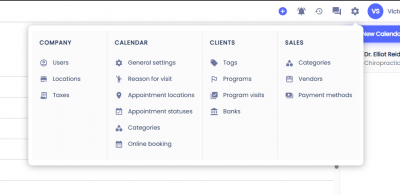
To edit a Reason for Visit first click on the gear icon on the top menu, then select Reasons For Visit.
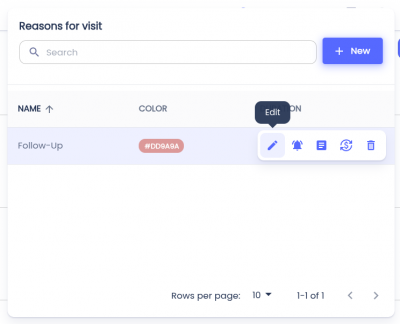
 Hover over the Reason for Visit you'd like to edit and click the button with the pencil icon.
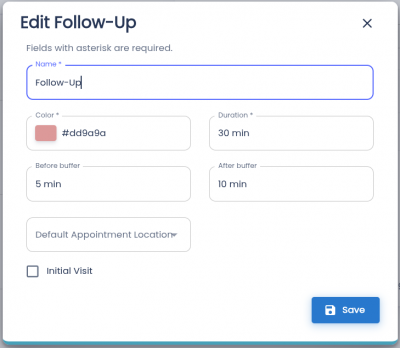
This dialog will allow you to edit the info of the Reason for Visit. The Name, Color, and Duration fields are required.
- Name - Name that will display on the appointment.
- Color - Color of the appointment in the calendar. You can enter a hex value or click on the square to bring up the color picker.
- Duration - Duration of the Reason for Visit.
- Before buffer - If the before buffer is set it will block that much time before the appointment.
- After buffer - If the after buffer is set it will block that much time after the appointment.
- Default Appointment Location - If the Reason for Visit will default to In-Person, Video, or Call.
- Initial Visit (Checkbox) - Will this Reason for Visit will count as an Initial Visit. Used for reports.
Once the fields have been filled you can click the Save button.
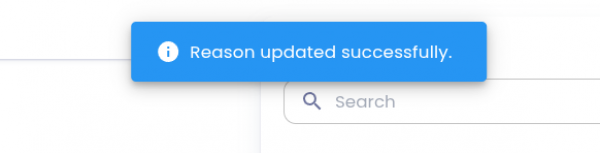
You will see an alert at the top of the page when the updates have been saved successfully.
Related Pages:
calendar/reason_for_visit/edit.1775594708.txt.gz · Last modified: by architect