
calendar:reason_for_visit:create
Create Reason For Visit
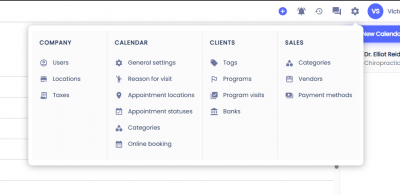
To create a reason for visit, click on the gear icon on the top menu. Under the Calendar column select Reasons For Visit.
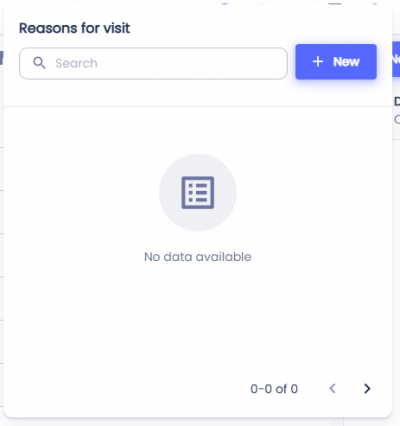
 Click + New. You will see a dialog with the title New reason for visit.
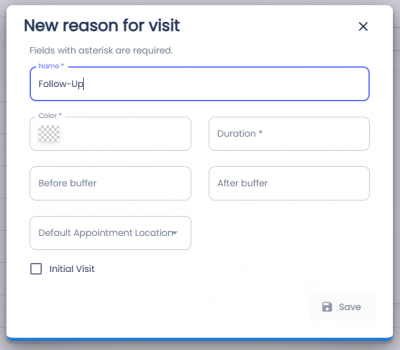
To save the Reason for Visit fill out the fields:
- Name (Required)- Name that will display on the appointment.
- Color (Required)- Color of the appointment in the calendar. You can enter a hex value or click on the square to bring up the color picker.
- Duration (Required)- Duration of the Reason for Visit.
- Before buffer - If the before buffer is set it will block that much time before the appointment.
- After buffer - If the after buffer is set it will block that much time after the appointment.
- Default Appointment Location - If the Reason for Visit will default to In-Person, Video, or Call.
- Initial Visit (Checkbox) - Will this Reason for Visit count as an Initial Visit. Used for reports.
Click the Save button.
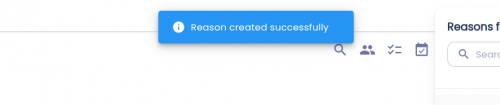
If the Reason for Visit is saved successfully, a toast will appear with the message 'Reason created successfully'.
Next Steps:
calendar/reason_for_visit/create.txt · Last modified: by architect