
calendar:hide_unhide_calendar
This is an old revision of the document!
Hide/Show a Calendar
To hide/show a calendar, first go to the calendar page using the menu on the left side.

You will then have to click the calendars icon.

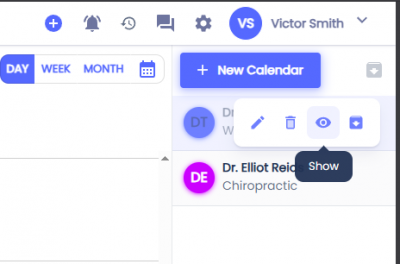
This will display a sidebar on the right side with your current calendars. Hover over the calendar you want to change. Click the eye icon to show or the eye icon with a slash to hide that calendar.

Related Pages:
calendar/hide_unhide_calendar.1775169978.txt.gz · Last modified: by architect