
calendar:edit_calendar
This is an old revision of the document!
Editing a Calendar
To edit a calendar first go to the calendar page using the menu on the left side.
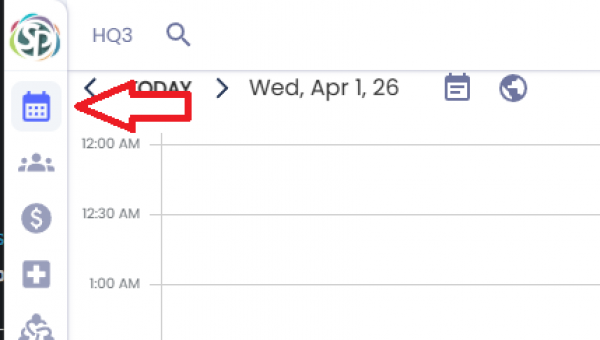
You will then have to click the calendars option.
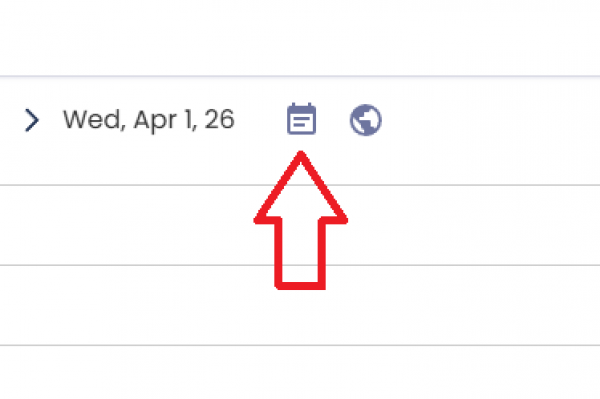
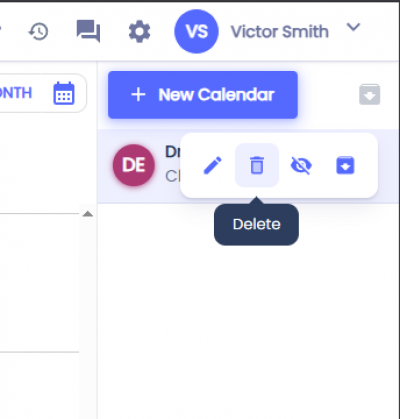
This will display a sidebar on the right side with your current calendars. Hover over the calendar you want to delete and click on the trash icon.
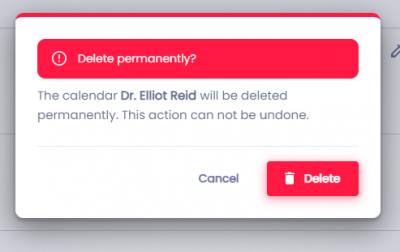
A confirmation dialog will appear. If you click Delete the calendar will be permanently deleted. Deleted calendars can't be recovered.
Related Pages:
calendar/edit_calendar.1775168270.txt.gz · Last modified: by architect